
What is Calorit?
Calorit is a mobile-first AI nutrition tracker demo for people who want calorie and macro logging to feel like a conversation. Users can describe a meal, upload a food photo, or reuse pantry products, then review calories, protein, carbs, fat, and weight trends in one personal dashboard.
Key features of Calorit
The app includes sign-in, guided onboarding, AI meal extraction, photo uploads, editable food log cards, daily calorie and protein progress rings, meal history, pantry products from nutrition-label photos, weight logging, reminders, and settings for goals, activity, timezone, and dietary notes.
How Calorit was built
The source uses a React app with AppDeploy auth, database-backed profiles, food logs, pantry products, weight entries, notification preferences, image uploads, and AI operations for nutrition extraction. AppDeploy handles the backend routes, storage, and deployed live URL for the ChatGPT nutrition tracker demo.
Prompt used to build Calorit
@AppDeploy build a mobile-first AI nutrition tracking app called Calorit.... The app's goal is to make calorie tracking effortless through conversation. Users can log meals by typing naturally, uploading a food photo, or referencing saved pantry products. The AI should extract calories, protein, carbs, and fat, then store each meal as a structured food log. The app tracks daily nutrition targets, meal history, pantry products, and weight over time. Generate a colorful, appetizing food-themed background image that feels fresh, bright, premium, and natural, with fruits, vegetables, herbs, and soft daylight. Avoid generic gradients or abstract blobs; the background should look like a real polished food/lifestyle image. On sign-in and onboarding screens, show this generated image full-screen and unobstructed. On all other screens, place the same image behind a heavy white translucent overlay so it becomes a subtle textured background. Use polished glassmorphism with frosted panels, translucent chips, soft borders, backdrop blur, rounded cards, and blue-to-dark-blue gradient primary buttons. Use a fresh palette inspired by the generated background, Inter or a system sans-serif font, very bold tight Calorit branding, tiny uppercase letter-spaced section labels, contextual header navigation, and no bottom navigation bar. The sign-in screen should feel minimal, premium, and mobile-first. After sign-in, route users to onboarding if no profile exists, or to the dashboard if setup is complete. Onboarding has four validated steps: body composition, activity and timezone, target calibration, and optional food preferences. Step 1 collects current weight, height, birthday with no future dates, and sex using two selectable field-style radio boxes. Step 2 collects activity level and a timezone dropdown sorted by UTC offset. Step 3 collects target weight, daily calorie deficit, and protein target per kg, while showing a live projected daily target preview. Step 4 collects optional dietary notes in a large textarea and saves the profile before navigating to the dashboard. The dashboard header shows Calorit plus calendar and settings icon buttons, with a two-column desktop layout and one-column mobile layout. Show Calories Remaining and Protein Remaining metric cards with SVG circular progress rings, consumed-versus-target text, and emphasized remaining values. Show today's recent food entries with meal icons, tappable rows that open chat focused on that entry, and a blue Chat button for adding new logs. Below the dashboard grid, show a full-width weight trend chart with add-weight modal, pagination, and long-press deletion confirmation on chart points. The chat screen includes structured food log cards, AI message bubbles, quick action chips for Daily summary, Macro review, and Suggest meal, plus a pinned composer. Food cards show name, calories, macros, inline meal type dropdown, and delete controls with confirmation when needed. The composer supports image upload, pantry link, auto-growing text input, send button, removable image preview, Cmd/Ctrl+Enter sending, optimistic user messages, and animated loading dots. The history screen shows months in reverse chronological order, with logged days highlighted, calorie totals displayed, and a modal for reviewing each day's entries. The settings screen includes editable profile fields, searchable timezone, activity level, goal type, dietary preferences, notifications toggle, pantry link, and account deletion requiring the word "delete". The pantry screen lists saved products with name, brand, calories per serving, add and edit actions, and redirects empty pantries directly to the add-product screen. The pantry product editor uses an image-first flow where uploaded packaging or nutrition-label photos trigger AI extraction, then prefill editable nutrition fields before saving. Daily targets use the Mifflin-St Jeor BMR formula with age, latest logged weight, height, gender, activity level, and goal type, and "Today" must always be based on the user's local timezone, never UTC.
Live Calorit demo
Open the live Calorit appSee more Fitness & Health apps
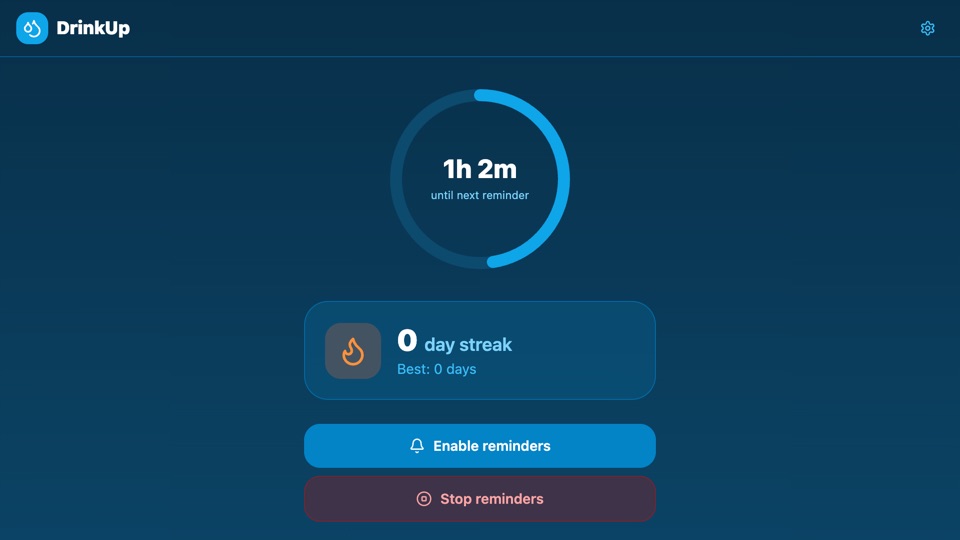
DrinkUp
Hydration reminder app with custom wake/sleep schedules, interval alerts, photo-based drink check-ins, and streak tracking to build consistent water habits.
"AppDeploy an app that reminds me to drink water throughout the day. I set my wake/sleep hours and how often I want reminders. I can take a photo of my drink to confirm, and it tracks my streak"
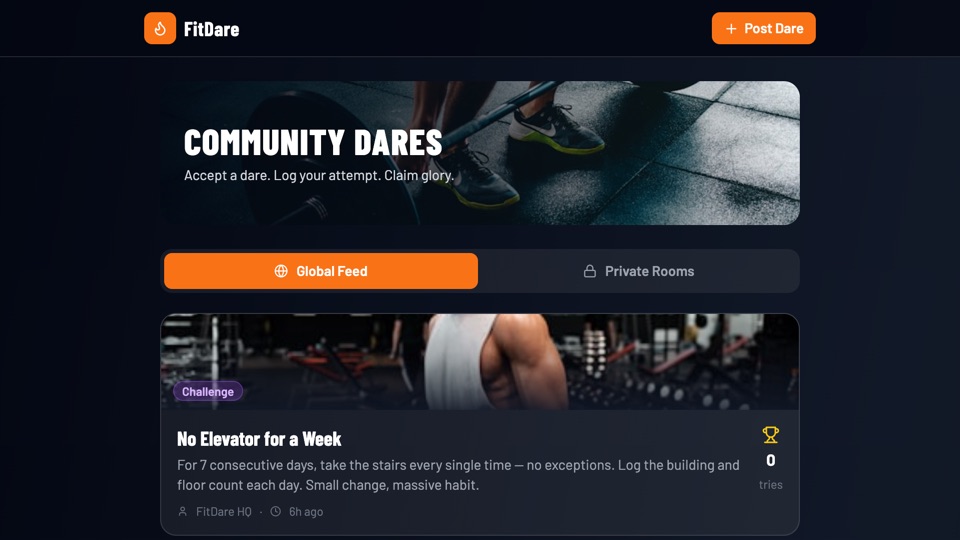
Community Dares
Community fitness challenge board where users post dares, log attempts with notes and time, climb leaderboards, and get AI hype reactions for each submission.
"AppDeploy a community fitness dare board where anyone can post a dare like "100 pushups in one sitting", others can accept it and log their attempt with notes and time, and a leaderboard ranks everyone who completed it...."