
Deploy apps from Linear - setup guide
This guide shows how to connect AppDeploy to the Linear Agent so you can deploy apps from your Linear workspace and get a live URL back.
Connect it once, then deploy whenever you’re ready, without leaving Linear.
Step-by-step Instructions
Open Linear and go to Settings, then Agent personalization (under Personal)
Under MCP connectors, click Add connector
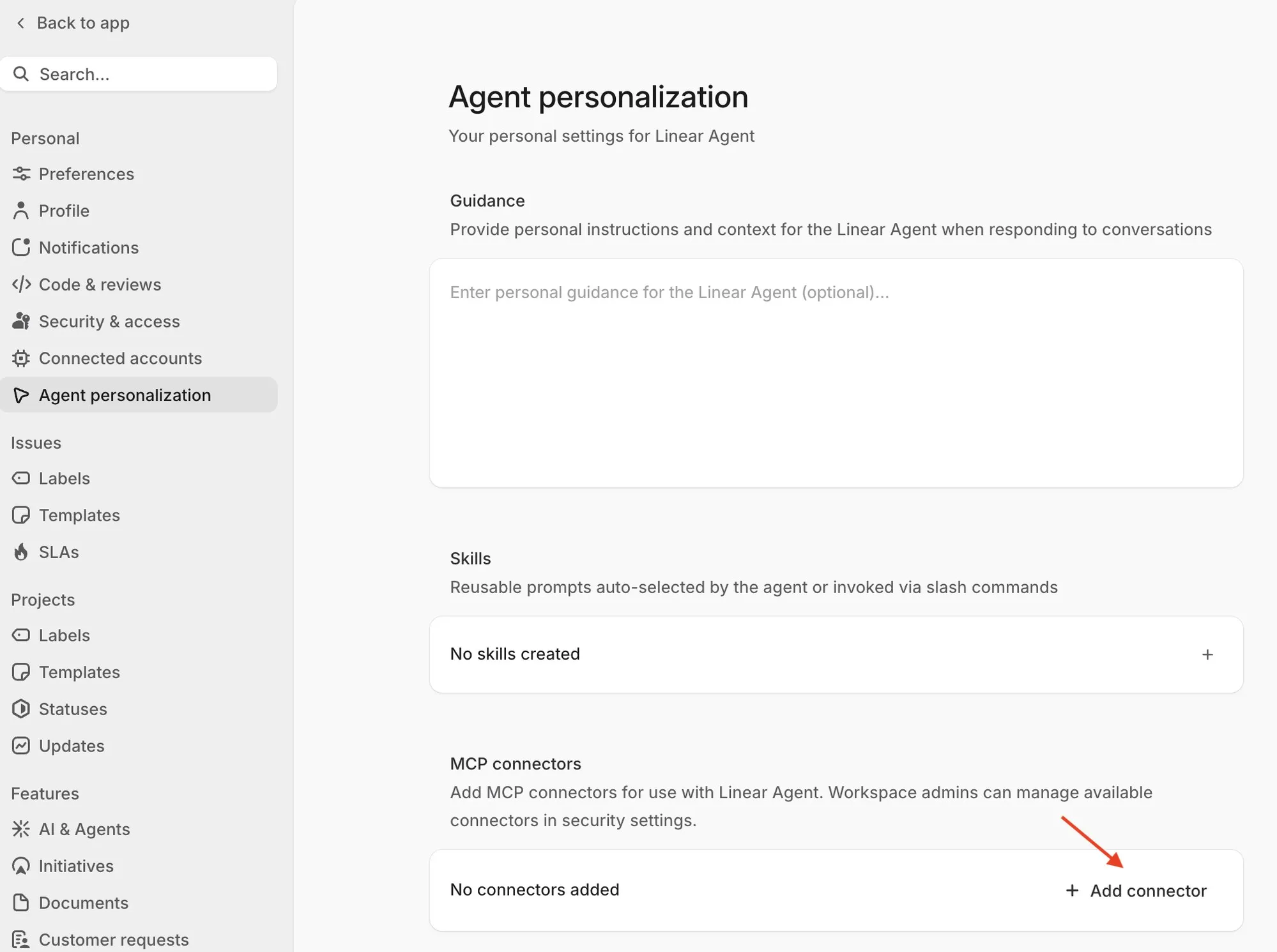
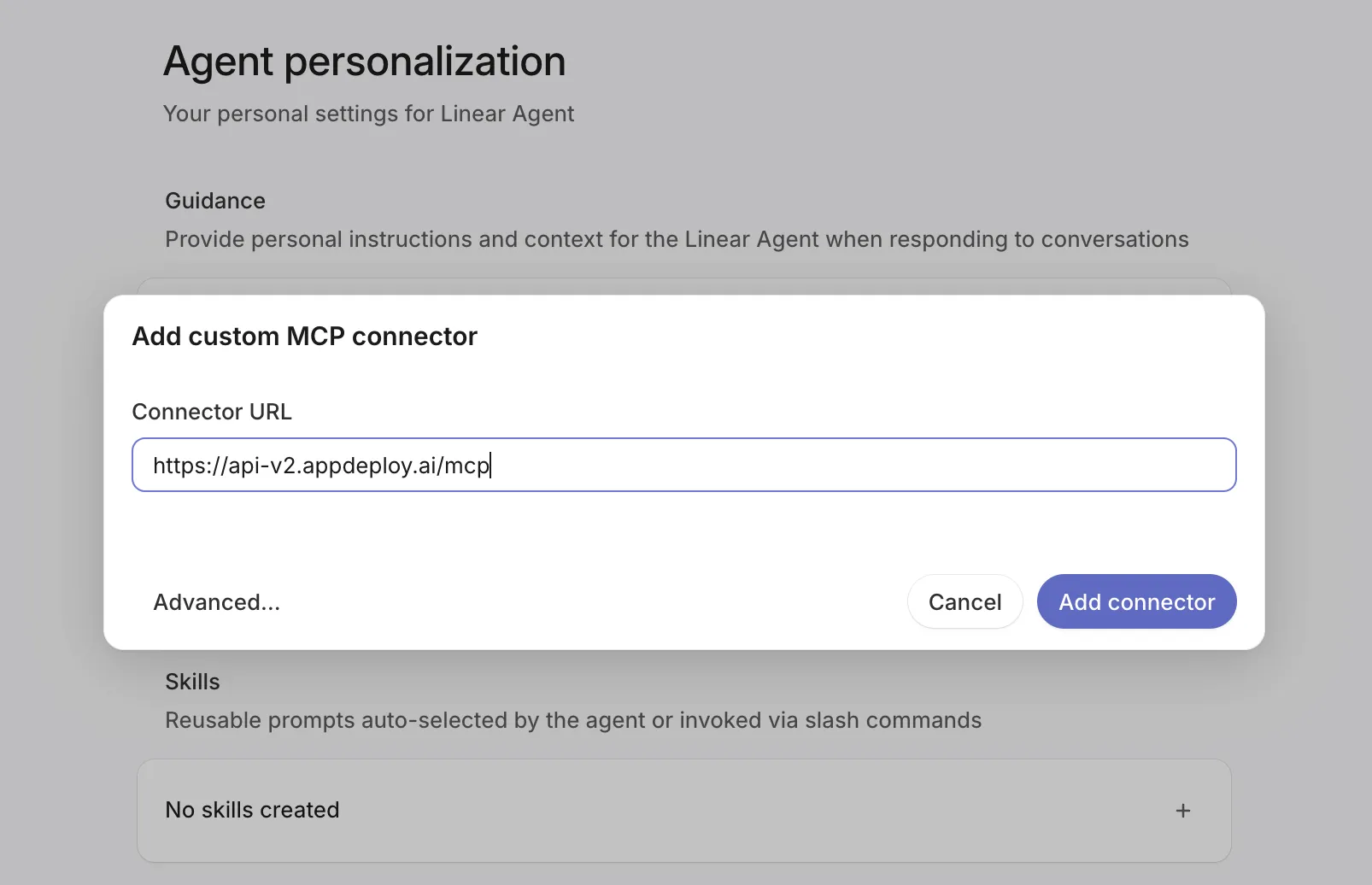
In the Add custom MCP connector popup, enter the AppDeploy MCP URL and click Add connector:
An authentication screen opens in your browser. Select how to log in: Google, Apple, or X.
AppDeploy appears as
deploy-appunder MCP connectors, with its tool count.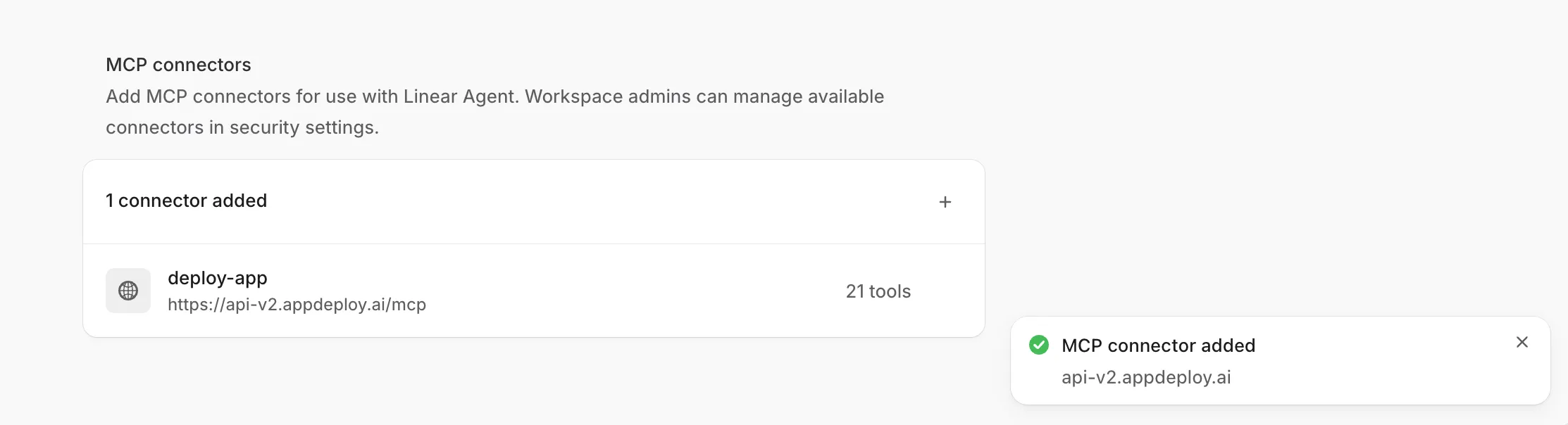
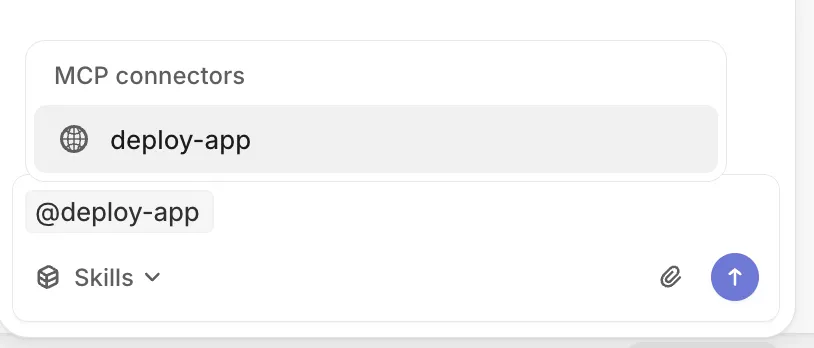
Open Agent, mention
@deploy-app, and pick it under MCP connectors. Then describe your app. For example:“Build a Hello Linear webpage with a global visitor counter and deploy it with @deploy-app.”
Note: available MCP connectors may be managed by workspace admins in security settings.
Need Help?
If you encounter any issues, check our troubleshooting guide or contact us at support@appdeploy.ai.