
Build and Deploy an Allowance App for Kids with Claude or ChatGPT
From prompt to live URL in one conversation. No Git, no CLI, no IDE required.

We had a spreadsheet. Three columns - one per kid, a running balance, and a row for every withdrawal. The problem was that nobody updated it. The kids never opened it. We’d forget a withdrawal here, miss a deposit there, and by the time anyone checked the numbers, they were wrong and someone was upset.
One evening I’d had enough. The kids were using Claude for their homework - I figured I’d show them you can also build an app directly from the chat. We opened one together.
The same prompt-deploy-iterate loop works in ChatGPT with AppDeploy too. This run happened in Claude.
No plan, no spec document. Just a family at the kitchen table and a chat window.
What the kids wanted
Before typing anything, we went around the table. Each kid said what they needed:
- See their own balance without asking a parent
- Record a withdrawal they made, with a reason attached (the actual cash changes hands outside the app)
- Not need to create an account or remember a password
The parents had a shorter list: get notified when money moves, have balances update automatically on payday, and never open that spreadsheet again.
Starting the conversation
The first message to Claude was rough:
Build us an allowance app for our kids. Parents sign in with Google and set up
the kids and their allowance amounts. Kids can see their balance and record
when they took money.
Claude generated the app. AppDeploy deployed it. Within a minute we had a live URL. We opened it and looked at it together. It was missing things. That was fine - we stayed in the same chat and kept going.
Iterating together
This is where it got interesting. The kids were in the conversation, not just watching.
One of them asked: “do our savings earn interest?” We typed it in. Two minutes later the settings page had an interest rate field and the app was running automatic interest deposits. The kid who asked looked unreasonably pleased with herself.
Then: “I want to know when a kid takes money.” We added push notifications. Now when any kid records a withdrawal, both parents get a notification on their phones.
Then came the best moment. Our youngest asked: “do I need a Google account?” She doesn’t have one. We asked Claude to make the kids’ invite link work without any sign-in. Instead of Google OAuth, each kid gets a permanent personal URL - a link they can bookmark. No password, no account, no app to install. The link is their access.
Each of these was a single message in the same chat. Each one triggered a new deployment. The URL never changed.
After each deploy, AppDeploy ran QA against the live app, checking the setup flow, the kid claim flow, scheduled deposits, and parent notifications.
The prompt it evolved into
By the end of the session the app had everything we wanted. Here is the prompt as it stood after iterating - you can start with this directly:
Build an allowance app for kids. It should work like this:

- A parent signs in with Google and creates the family by entering:
  - The family name and currency
  - A list of kids (names + allowance amounts)
  - A list of parents (names)
  - Whether allowances run weekly or monthly
  - An optional yearly interest rate (so savings earn a small return)

- After creating the family, show two invite links: one for kids, one for parents.
  Kids' invite link should NOT require Google sign-in - when a kid opens the link,
  they just pick their name and get a permanent personal URL they can bookmark.
  Parents' invite link requires Google sign-in.

- Each kid's page shows their balance, a form to record a withdrawal
  ("I took money"), and their recent transaction history.
  When a kid records a withdrawal, notify the parents.

- The parent dashboard shows all kids' balances, lets parents record
  withdrawals on behalf of kids, and has a settings page to adjust
  allowance amounts, cycle, and interest rate.

- Allowances (and interest if set) are deposited automatically on a schedule.
  Monthly on the 1st, weekly on Mondays.

Deploy it with a dark UI.
You don’t have to start with this. Start simple and iterate - that is how we did it.
What you need
- A ChatGPT or Claude subscription
- The AppDeploy app for ChatGPT or the AppDeploy connector for Claude
That’s it. No server, no hosting account, no Git.
How the allowance app for kids works
After deploying, sign in as the parent creating the family. The setup wizard walks through four steps:
- Family details - name, currency (USD, EUR, GBP, ILS, and others), allowance cycle, optional interest rate
- Kids - add each kid’s name and their allowance amount
- Parents - add parent names
- Claim yourself - pick which parent you are from the list
After that, you land on a screen with two links:
- Kids invite link - share it by text, WhatsApp, or QR code. They open it, pick their name, and get a permanent personal page they can bookmark. No Google, no account, no password.
- Parents invite link - share with your co-parent. They sign in with Google, pick their name, and get the full parent dashboard.
The parent dashboard has three tabs: Overview (all kids’ balances with quick withdrawal forms), Transactions (the full history), and Settings (allowance amounts, cycle, interest rate, invite links).
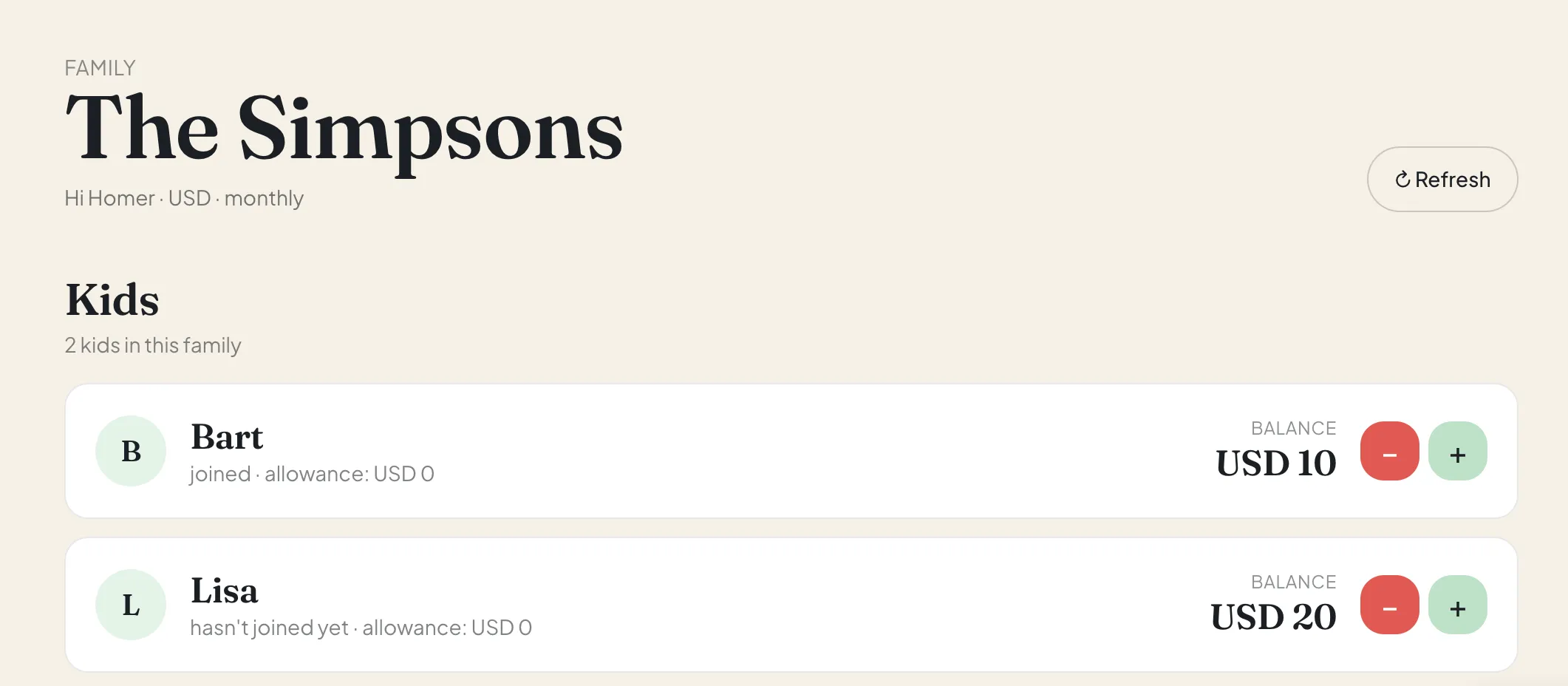
Try the demo
You can explore a working version of the allowance app here:
Open KidBank, the allowance app demo
Sign in with Google to see the parent dashboard. From Settings, you can copy the kids invite link and try the child flow too.
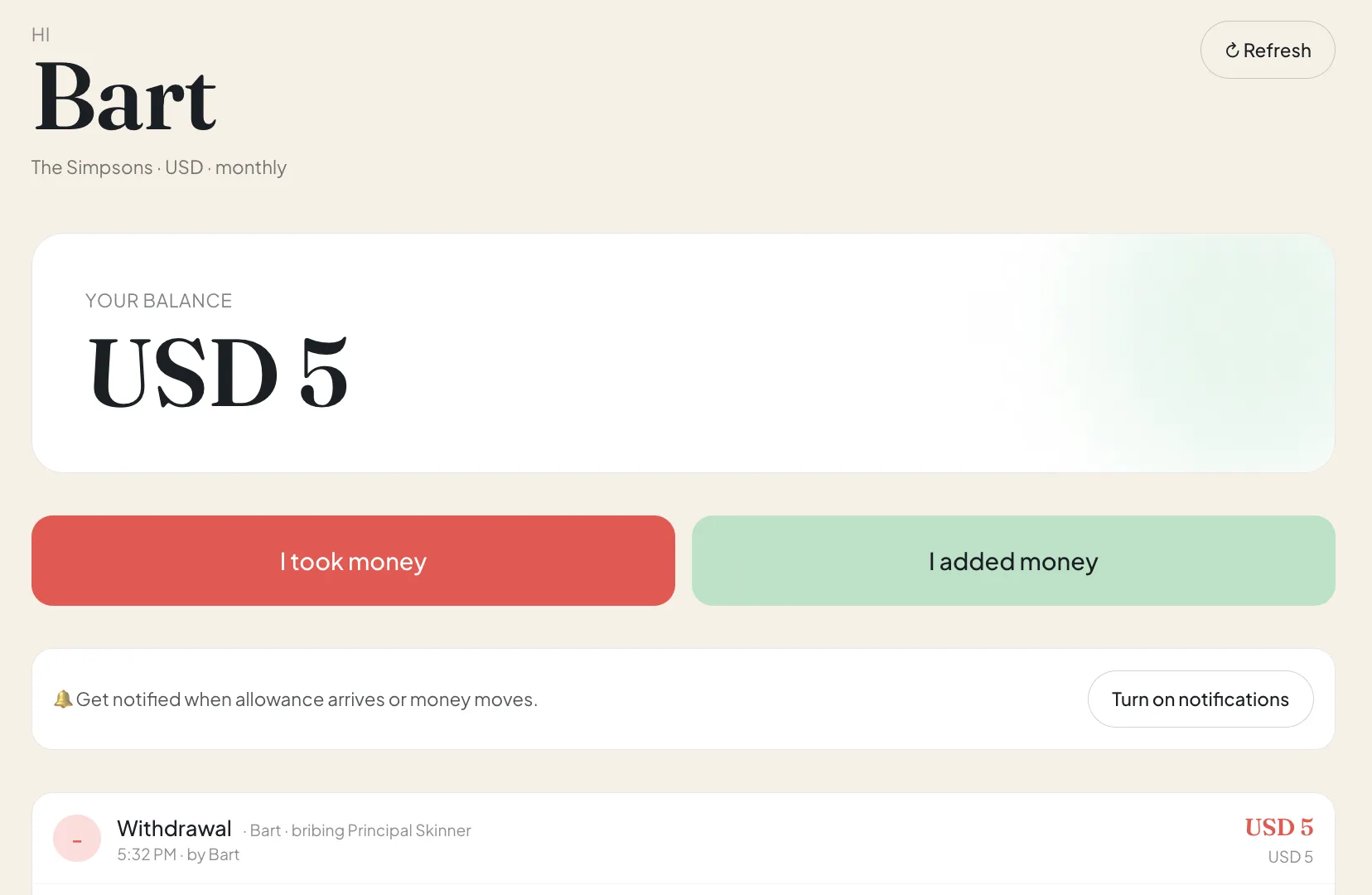
What the allowance tracker includes
The deployed allowance app has two parts.
Backend: A Node.js API manages families, people, balances, invite links, scheduled deposits, and notifications. Parents sign in with Google. Kids use their own personal link, so they can bookmark the page and come back without creating an account. AppDeploy runs the backend, database, and scheduler behind the scenes.
Frontend: A React app with separate views for parents and kids. Parents get an overview dashboard, transaction history, settings, and invite links. Kids get a focused page with their balance, a simple “I took money” form, and recent activity. The setup wizard handles family details, kids, parents, and account claiming.
AppDeploy deploys and runs both. You don’t provision anything. AI writes the code. AppDeploy deploys it and keeps it running.
Frequently asked questions
What does AppDeploy do, exactly?
AppDeploy is the deployment layer that connects AI chat to a live, running application. You describe what you want in ChatGPT or Claude, the AI generates the code, and AppDeploy handles everything after that: bundling, hosting, database, backend services. The result is a real deployed app at a live URL - not a preview, not a sandbox. You never leave the chat.
Is the kids’ link actually secure?
AppDeploy handles platform isolation and infrastructure controls, but app-level access rules are still your decision. The kids’ link is hard to guess, but anyone with it can access the page. If you want tighter access, ask the AI to add a PIN or login.
What if a kid loses their link?
The kids’ invite link is in the parent Settings tab and always works. You can also ask the AI to add a “reset kid link” option, which generates a new URL and invalidates the old one.
Can I add more than two parents?
Yes. The parents invite link works for as many people as you want. Each person who opens it, signs in with Google, and picks an unclaimed name gets full parent access.
Do allowance deposits happen automatically?
Yes. Monthly families deposit on the 1st and weekly families deposit on Mondays. Each run records the transaction and applies interest if set. No cron setup required - AppDeploy handles the scheduler.
Can I change the currency or allowance amounts later?
Yes, from the Settings tab at any time. Changes take effect on the next scheduled deposit.
Build yours
- Connect AppDeploy to ChatGPT or Claude
- Paste the prompt above into a new chat - or start simpler and let the family iterate from there
- Share the invite links, hand the kids their bookmarks
The same pattern works for chore tracking, classroom budgets, club funds, shared household tools, and plenty of other spreadsheet replacements.
The first allowance deposit runs automatically. You won’t forget again.
Related reading: